The Best Solution For Your Staff At The Best Price
Employee Shift Scheduling
Drag-and-drop rota, copy-week planner, shift trades, and instant SMS alerts.
Time Tracking & GPS Kiosk
Tablet punch clock with PIN entry and phone geofence. Accurate timesheets.
Photo-Verified Checklists
Mandatory live camera verification on opening and closing tasks. Zero pencil-whipping.


Turn Chaos to Calm
Plan the week, track exact hours, and verify opening and closing checklists.
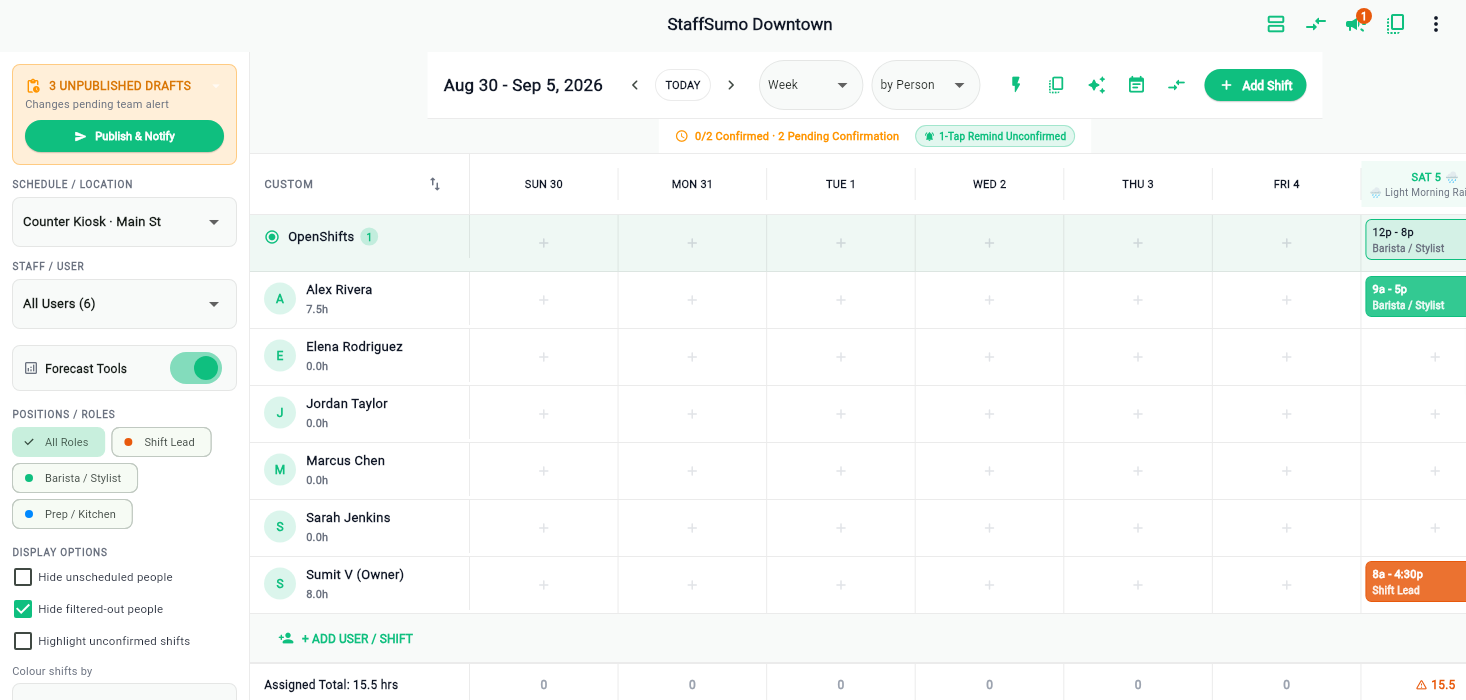
Set up shift schedules in minutes
Create your weekly schedule with simple drag-and-drop. Copy last week's schedule with one click, let staff trade shifts on their phones, and publish when ready.
- Private drafts: Staff only see the schedule after you click publish.
- No scheduling conflicts: Instantly alerts you if someone is double-booked or on time off.
- Easy shift trades: Staff swap shifts with manager approval right from the app.
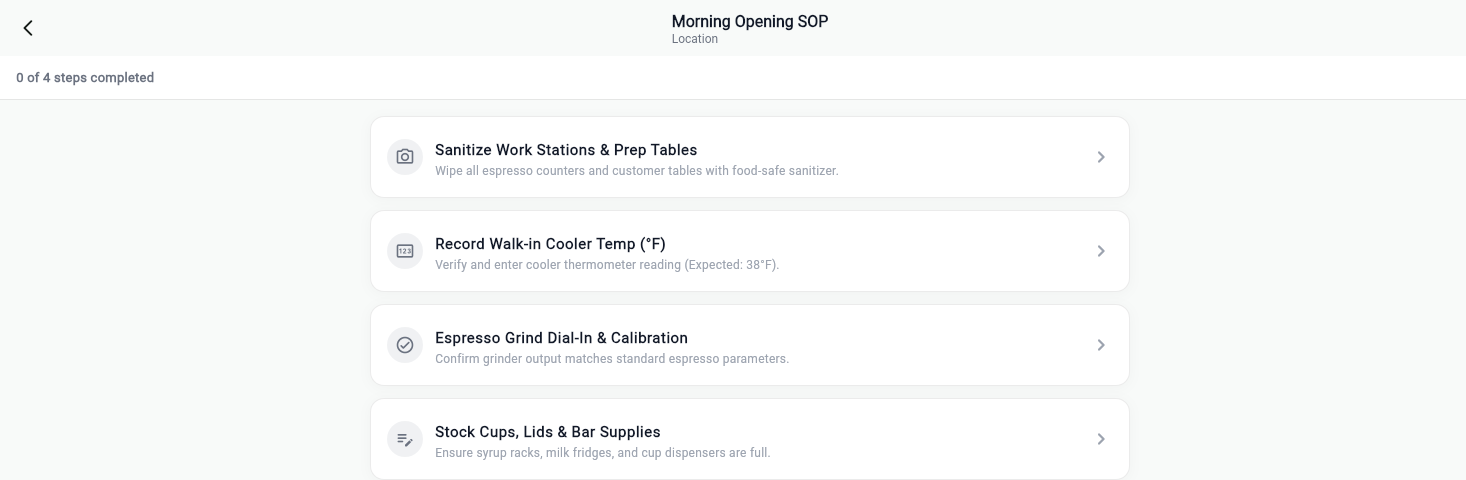
Make sure opening and closing tasks get done
Staff take a live photo in the app to prove tasks are done before they leave. No uploaded old photos from the camera roll and no skipped steps.
- Live photos only: Staff must take a real photo on-site during their shift.
- Temperature checks: Makes sure fridge and equipment temps stay in safe range.
- Finish before clock-out: Staff cannot close a shift until all tasks are marked done.
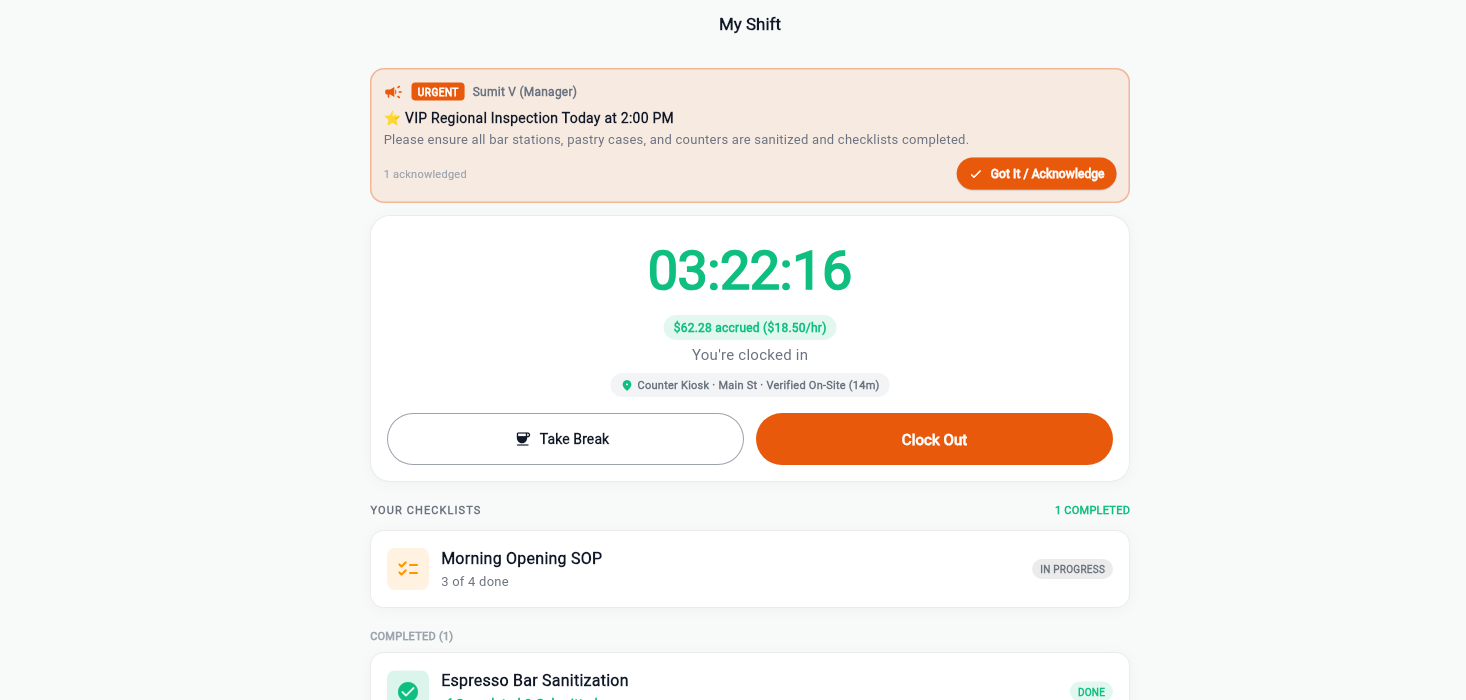
Track exact work hours with GPS and PIN kiosk
Staff clock in on a shared tablet using a 4-digit PIN, or from their phones with GPS location tracking. Timesheets calculate hours automatically and export straight to payroll.
- Tablet PIN kiosk: Employees punch in and out using a simple PIN code.
- GPS location check: Confirms staff are physically at the workplace when punching in.
- 1-click payroll export: Send total hours straight to Gusto, ADP, or Excel without manual math.
What owners and operators have to say
Real feedback from teams running busy kitchens, retail stores, and multi-unit cafes.
Simple, honest pricing, FREE for 30 days
Priced per user, first month $0. Scheduling, GPS time clock, photo-verified checklists, and team WorkChat are included in both plans.
Standard
Employee scheduling, GPS mobile time clock, and photo-verified task checklists for single-site teams.
- Drag-and-drop scheduler with availability conflict rules
- GPS geofenced mobile time clock & tablet kiosk with PIN
- Photo-verified checklist SOPs (live capture, no camera roll)
- Shift trades, drops & open shifts pool
- Manager review queue with audit log & flag reasons
- WorkChat workplace channel & broadcast announcements
Plus & Multi-Site
For growing businesses running 2 or more locations held to unified brand standards.
- Unlimited locations & departments under one login
- Shared SOP checklist templates synced across all sites
- Cross-site reporting & wage forecasting
- Multi-unit manager permissions & audit logs
- Private group WorkChat channels
- 1-click payroll CSV exports (Gusto, ADP, QuickBooks)
Made for shift work, not adapted to it
The routine that has to be verified is different in every trade. The pattern (open, run, close, prove it) is the same one everywhere.
Food and drink
Retail and forecourt
Rooms and floors
Straight answers before you switch
What makes StaffSumo different from other scheduling apps?
Most apps record a task as done when somebody taps a box. StaffSumo records a live-camera photo, a number that has to fall in range, or a written note, so an opening checklist produces evidence rather than a claim. Scheduling and the time clock are here too, and they are good, but the proof is the reason to move.
Can staff upload a photo from their camera roll?
No. The camera opens and the photo library is never reachable. That single rule is what makes a proof photo worth anything, and it is enforced in the app rather than by policy.
Do you do scheduling and time tracking as well?
Yes. Shift scheduling with open shifts, swaps and copy-week, plus a time clock with GPS verification and a shared kiosk mode with PIN entry. A shift cannot be closed with its checklist unfinished, which is where the two halves meet.
How does pricing work?
Two plans, priced per user: $2 a month for a single location, $3 where you run more than one. Scheduling, the time clock and photo-verified checklists are in both, so proof is not an upsell.
Can I move my schedule over from another app?
Yes. Import a shift CSV exported from your current tool and the people, positions and shifts come across. The page layout here follows the same conventions, which is deliberate. Nobody should have to relearn a scheduler to change one.
What happens to my data if I leave?
You export it and we delete it. Shifts, punches, checklist runs and the proof photos are all yours, and there is no retention hold designed to make leaving inconvenient.